|
Log in |
Art Gallery
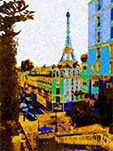
I have finally got this gallery back on line, but some of the captions need work. There’s not much to see, anyway; I’m not much of an artist. There is nothing generated by AI in my gallery. I produced every image myself. There's a description below each image if you scroll down a bit. You can click on the control buttons beneath each image to step through them. If an information button is present, you can click on it for a text description of the image and/or technical information on its creation. You can press Enter on each page to step through the images. If you have JavaScript enabled (the default for most browsers), you can use the Left and Right Arrow keys to move back and forth through the images. You can use the Backspace key to backtrack through the images you’ve visited. Some image pages include additional image (subgalleries) that you can view; in these cases, a down arrow appears amng the control buttons beneath the omage. Within the extra images, an up arrow returns you to the main image. With JavaScript enabled, you can also use the Page Up and Page Down keys. You can click on the image icon to open the image by itself in a separate window/tab. The full screen icon hides the site banners and table of contents; and the framed icon brings them back. Home brings you back here. |